

But before we get into the how-to, what are the alternatives?
Naturally, you could transfer the data by hand. But manual data entry is time-consuming and error-prone. A more technical method is to write an SQL or PowerShell script to extract the spreadsheet data. But this requires custom coding in languages like C#, VB.net, or PowerShell.
As you will see below, making Azure receive email and process the attachments has a host of advantages over these old-fashioned approaches.
Why use Azure to process email attachments?
- consumption-based pricing: set up an Azure account for free, and only pay for the volume of operations you use
- low-code development: Azure uses a graphical interface to speed up development and increase reusability
- built-in Office 365 integration: the Azure Office 365 connector gets you hooked up to Outlook email quickly and easily
- connection to storage and databases: the Azure universe includes table storage, blob storage, and SQL server
Project overview
Architecture of Azure email processing
The client gained access to the processed invoice data through the Azure Storage Explorer. This enabled the client to produce financial reports based on accurate, up-to-date invoice data.
Part one: receipt and storage
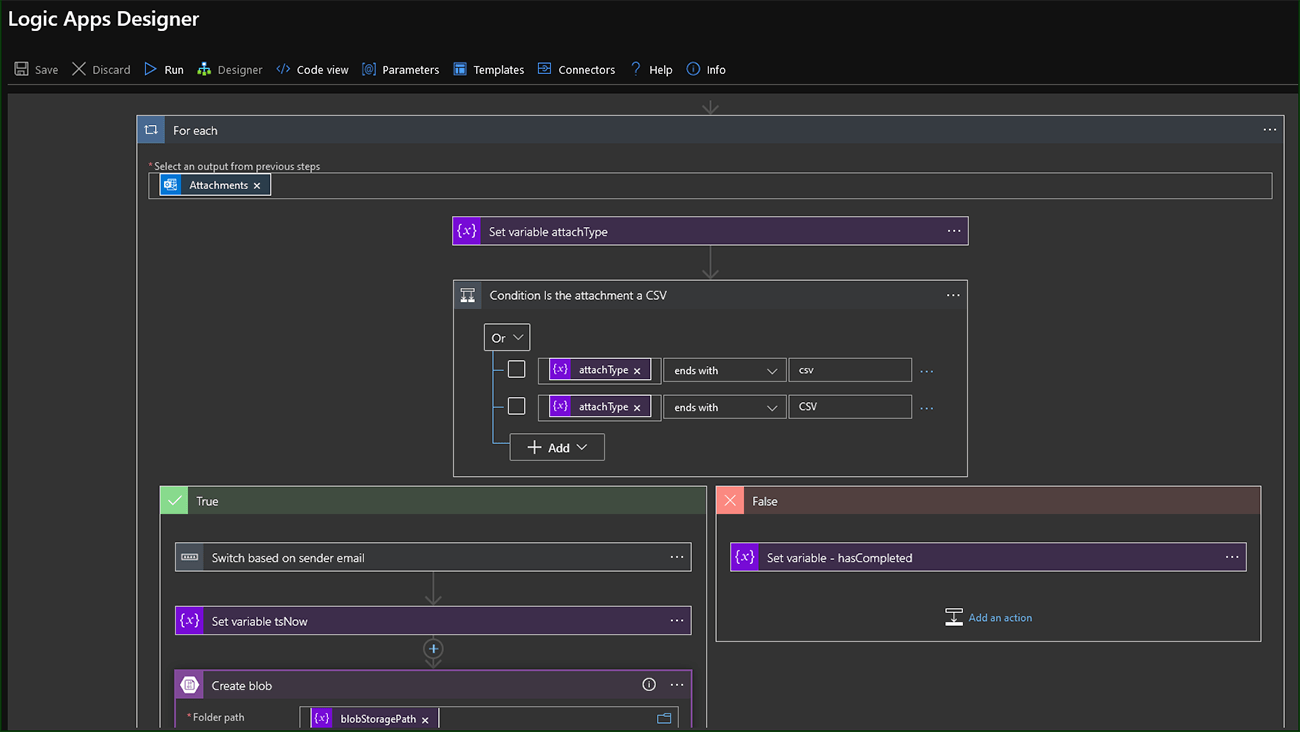
- an email will deliver a CSV attachment to a mailbox within the client’s account
- the attachment or attachments will be gathered from the email
- if no attachments are found, the system will notify the relevant parties
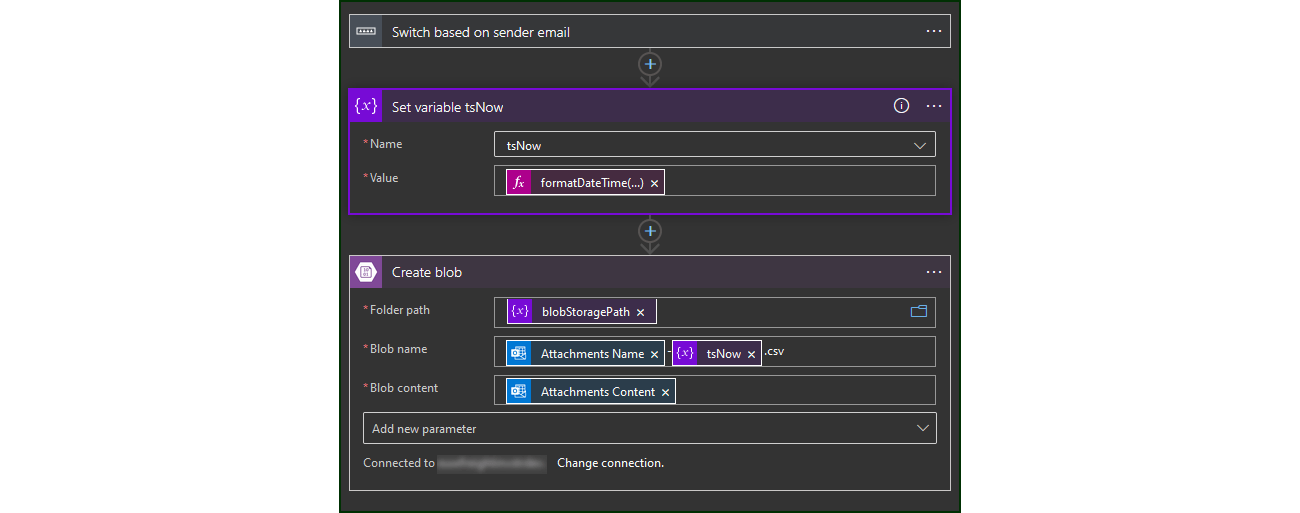
- the system will store the CSV file in the appropriate “folder” in Azure Blob Storage, depending on the sender’s identity
- if the sender is not recognised, the CSV file will go into a new “folder” and the system will notify the relevant parties
Part two: processing for reporting
- an Azure Logic App must be configured for each type of invoice that the client receives
- the relevant Azure Logic App will parse the fields from each email’s CSV attachment and store this data in an Azure SQL Database
- if the files don’t conform to the pre-agreed format, the system will notify the sender and the receiver
- authorised finance staff will gain access to the raw data through the role-based access control features of Azure Storage Explorer
Developer’s guide
How to make Azure receive email and save attachments in Azure Blob Storage
1. Overview of the Azure workflow
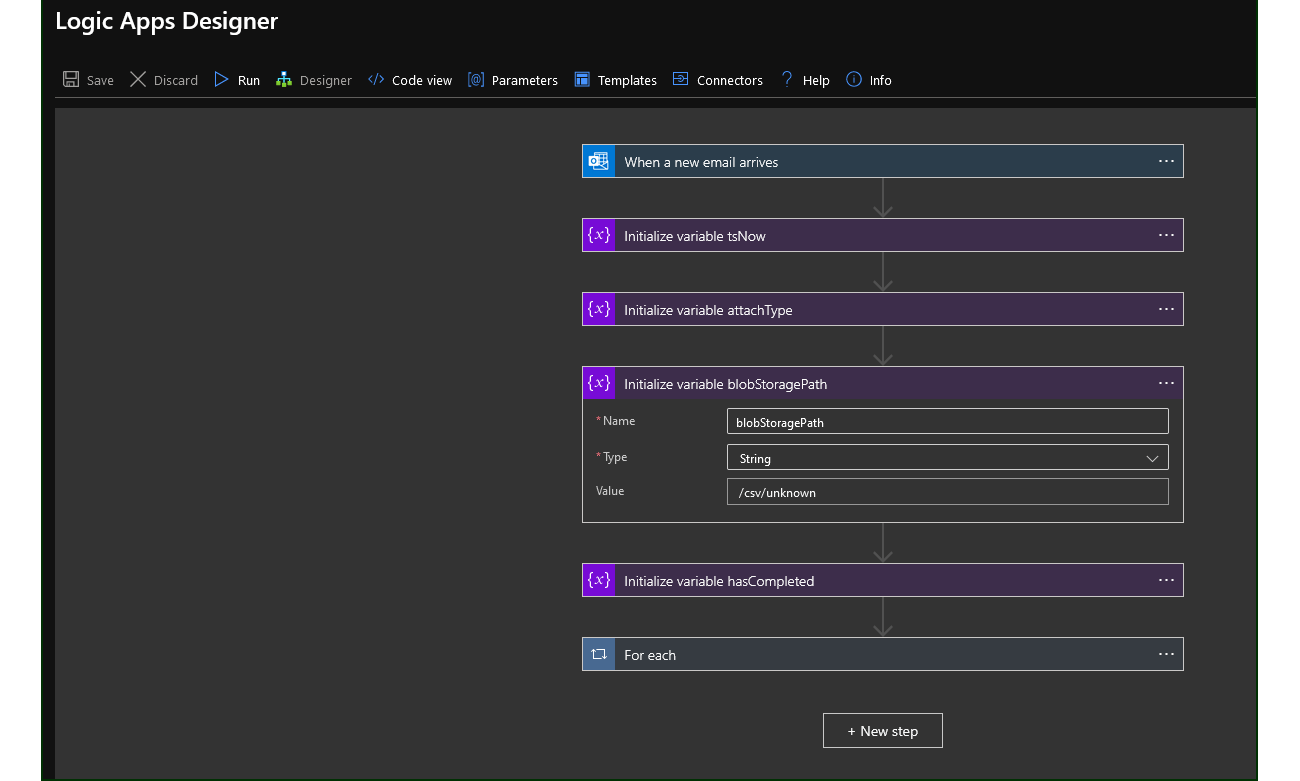
2. Create a new Logic App
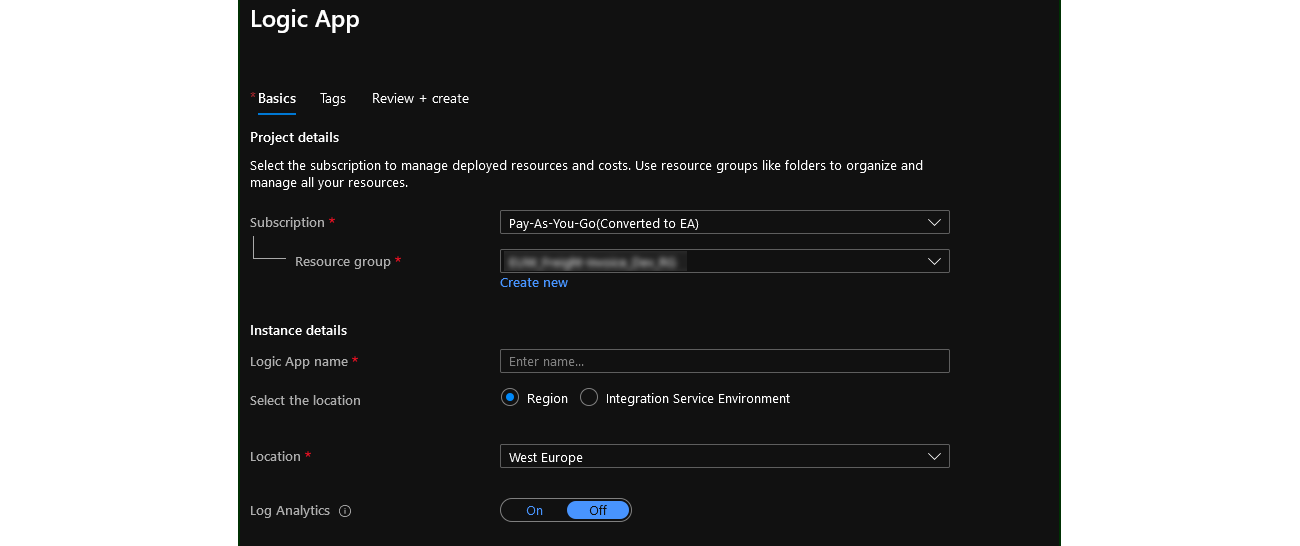
3. Add a trigger
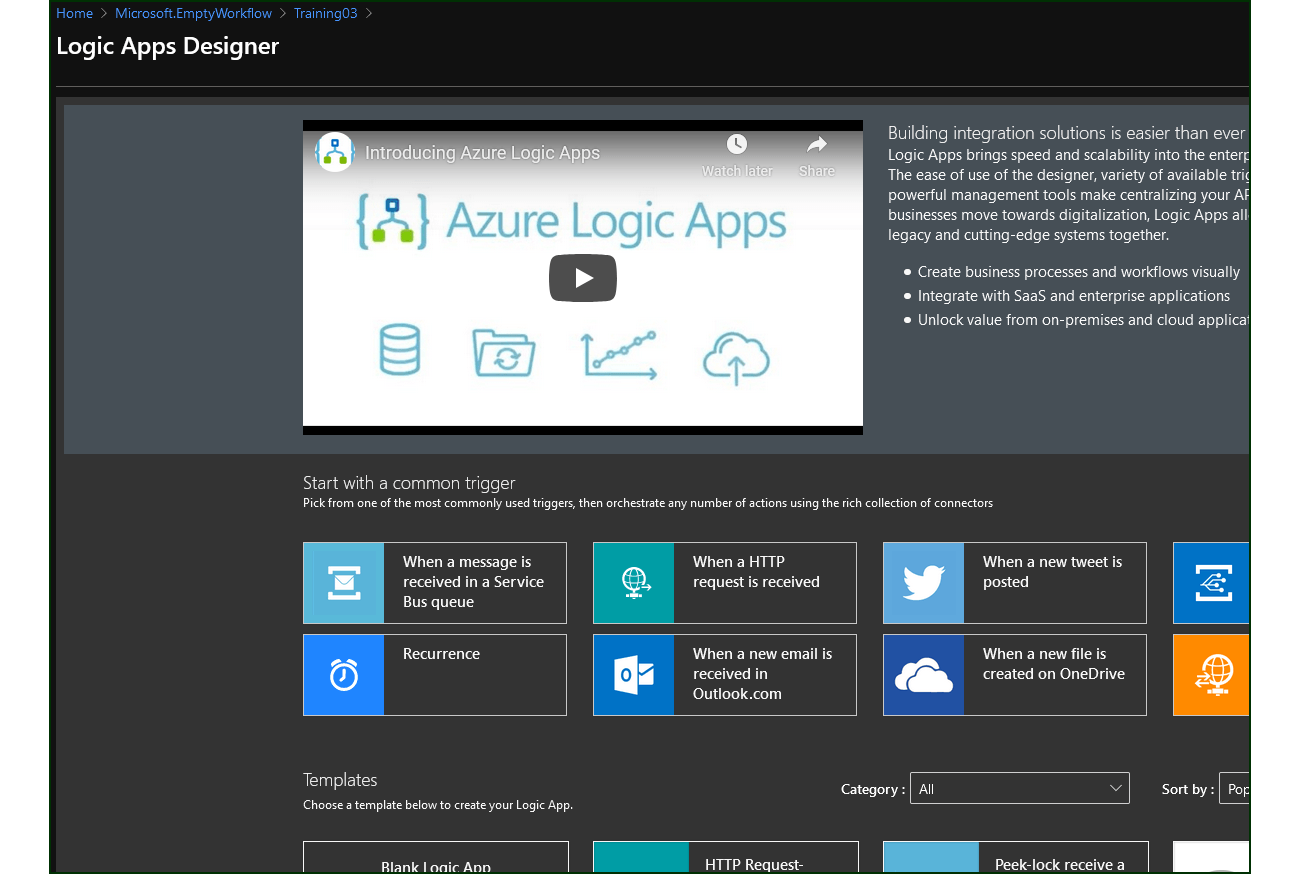
4. Store the email attachments
Accelerating integration with Azure
Work with Azure integration experts
We’re a Microsoft Partner with decades of integration experience. So whatever you need to connect with Azure, our experts will provide end-to-end consultation, development, and support.